
AIforce Is Here

The screen was never just a screen
Salesforce has announced AIforce, and the framing everyone picked up is that AI now replaces the user interface. Patrick Stokes, Salesforce's President of Applications and Marketing, put it directly in a press briefing: “The UI is probably the thing that often gets in their way and slows them down.” AIforce, he said, “kind of disaggregates the UI and brings AI in to kind of replace it.”
Read as a productivity story, that is good news. Fewer clicks, fewer tabs, fewer training hours.
Read as a governance story, it is a question nobody on stage asked. For twenty years the screen has been doing work that was never written down anywhere else. Take the screen away and that work does not disappear. It moves — to your permissions, your data definitions, and your agent's instructions. The organizations that come out of this well will be the ones that go looking for it first.
This one is not a 2027 problem
Some of what Salesforce announced this month arrives later. AIforce is not in that category.
AIforce is three interfaces on one foundation. Claudeforce embeds Salesforce into Claude with 37 prebuilt sales skills and is in beta to all customers now, with a further 40-plus developer skills available through the Claude Code plugin. Slackforce brings CRM into Slack conversations, including creating accounts and logging notes by prompt. Agentforce Coworker runs inside Lightning and is available immediately. All three sit on the Headless Toolkit, which exposes the platform through MCP servers, APIs and plugins.
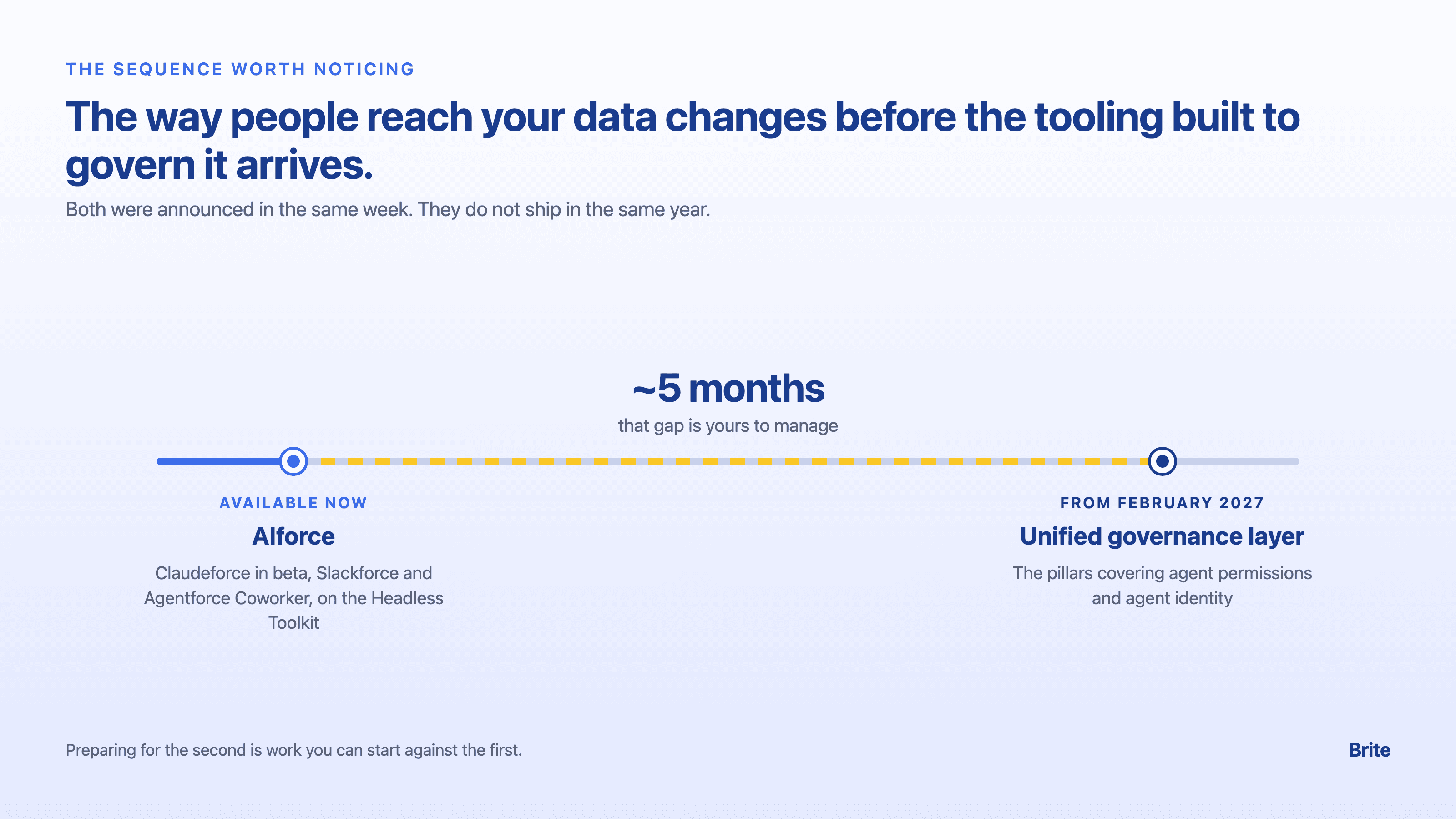
Note the sequence. The interface change is available now. The unified governance layer Salesforce demonstrated alongside it — the one containing the pillars for agent permissions and agent identity — begins rolling out in early FY28, which starts February 2027.
Salesforce has already started on part of that gap. Since Dreamforce, it has published plans for Agentic Identity, which gives each agent its own credentials and permissions instead of borrowing a user's. That is a good step, but it does not answer the harder question. An agent's permissions are only as sound as the permission model they are built on, and if a field was only ever hidden by a page layout, an agent with its own identity inherits that same gap.
The way people reach your data is changing before the tooling built to govern that access arrives. That gap is roughly five months, and it is yours to manage.
What the page layout was quietly enforcing
Here is the part worth an hour of your team's time.
In Salesforce, some controls live in the database and some live only in the presentation layer. When a caseworker works through a screen, both kinds are working at once and they feel identical. When an agent writes through the API, only one kind survives.
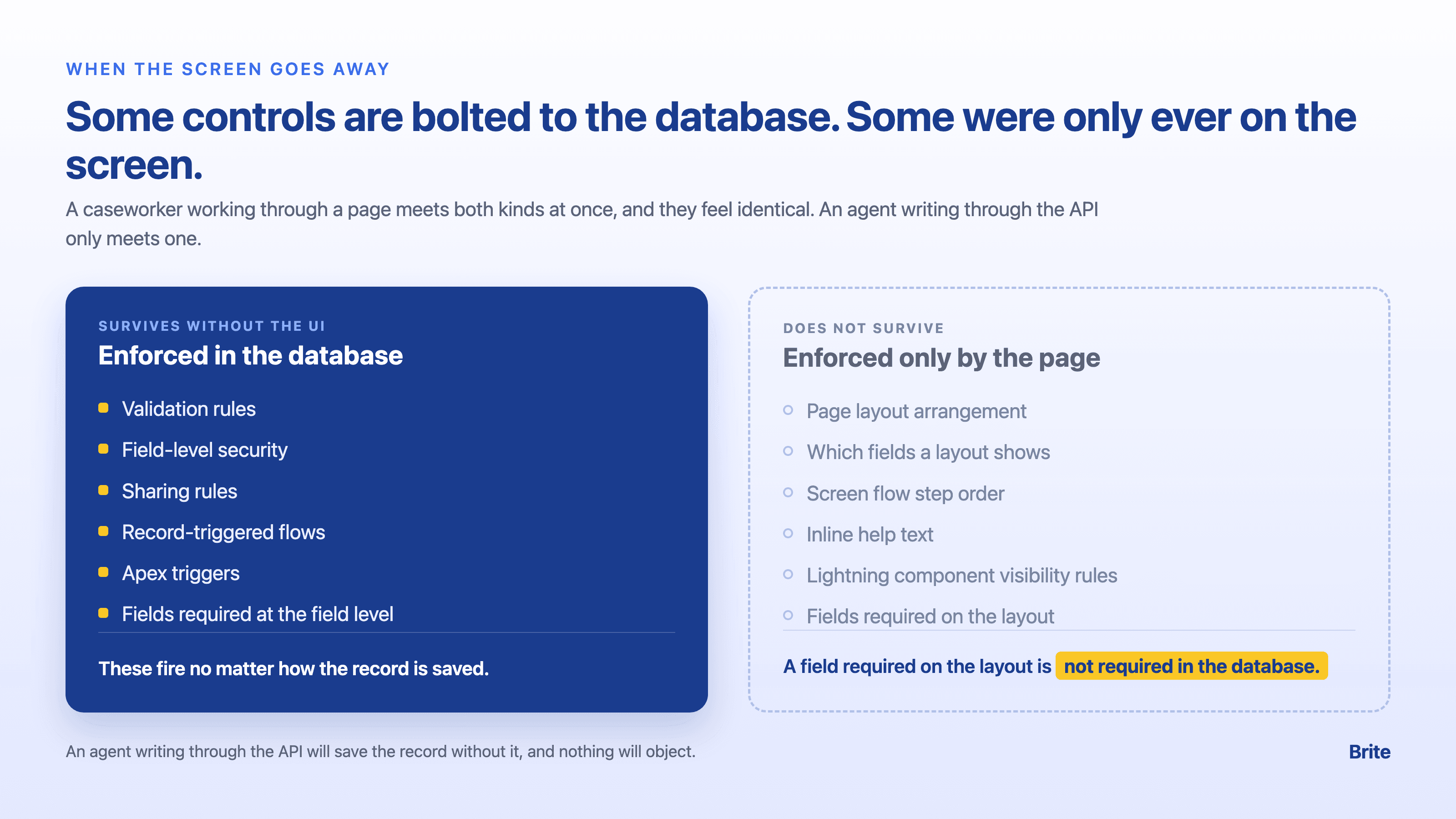
Controls that survive without the UI: validation rules, field-level security, sharing rules, record-triggered flows, Apex triggers, and fields marked required at the field level. These fire regardless of how the record is saved.
Controls that do not: the arrangement of a page layout, which fields a layout chooses to show, the order of steps in a screen flow, inline help text, component visibility rules on a Lightning page — and one that trips up experienced teams. A field marked required on the page layout is not required in the database. An agent writing through the API will save that record without it, and nothing will object.
Think about what that means for a program. If your intake process depends on a caseworker seeing the questions in a particular order, that order was a UI behavior. If a field is effectively mandatory because it sits at the top of the layout with a red bar, that requirement was a UI behavior. If a role never sees a sensitive field because somebody removed it from their layout rather than restricting it with field-level security, that was never security at all. It was a curtain, and it worked fine for as long as everyone was looking through the same window.
Four things to check before an agent writes to a record
None of this requires waiting for a new release, and all of it is worth doing whether or not you adopt AIforce.
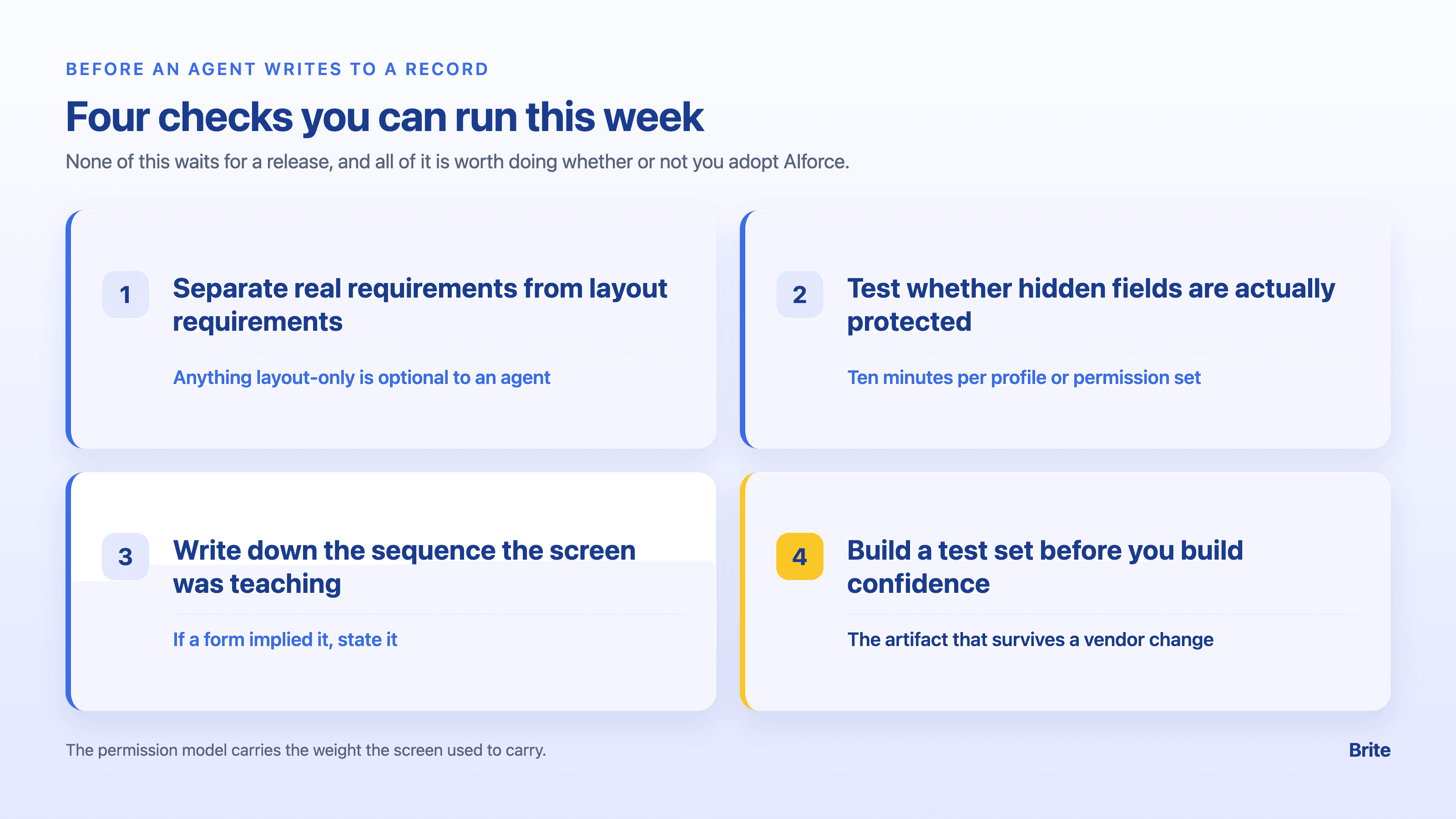
1. Separate real requirements from layout requirements. Walk one object and list every field your staff treats as mandatory. Check each one against field-level configuration and validation rules. Anything that is only required on the layout is currently optional to an agent.
2. Test whether your hidden fields are actually protected. Pick a role that should not see a sensitive field. Confirm the restriction is field-level security, not layout omission. This is a ten-minute check per profile or permission set, and it is the one most likely to surprise you.
3. Write down the sequence the screen was teaching. Screen flows and page layouts encode process knowledge — ask this before that, verify identity before disclosing status. If an agent can be asked anything in any order, that sequence has to be stated in its instructions rather than implied by a form.
4. Build a test set before you build confidence. Take a set of real cases with known correct outcomes and run them through. Salesforce ships testing tooling; the test cases themselves are yours to write, because the right answers live in your policy and your caseload. This is the artifact that survives a vendor change, and nobody will build it for you.
Salesforce has been sensible about the foundation here: Agentforce Coworker is described as operating within Lightning's existing permissions and business rules, with zero data retention outside your environment. That is the right design. It also puts the weight on the permission model — which is exactly where the weight should be, and exactly where most organizations have not looked closely in years.
An expansion, not a revolution
It is worth keeping the announcement in proportion. AIforce adds a layer to what Agentforce already does rather than replacing it, and Salesforce Ben, an independent Salesforce news site, judged that the reveal felt “more piecemeal than the big Agentforce reveal of two years ago.” Analytics through Tableau and further skills are described as arriving in the near future.
That is not a criticism. Incremental is what mature platforms do, and incremental is easier to prepare for than a step change.
But the direction is clear, and it is worth stating plainly: the interface is no longer where your rules live. Benioff described the goal as combining “model intelligence with all the context that customers have built into Salesforce.” That context is the asset. The screen was only ever one way of presenting it.
Where we come in
We are not here to sell you AI. We are here to sequence it.
Brite is a Salesforce Summit Partner, the top 1% of the partner ecosystem, with 60 Salesforce-certified experts.
If you want a straightforward place to begin, pick one object and one role. We will walk the permission model with your team and show you which of your controls are real and which were only ever on the screen. You keep the findings either way.